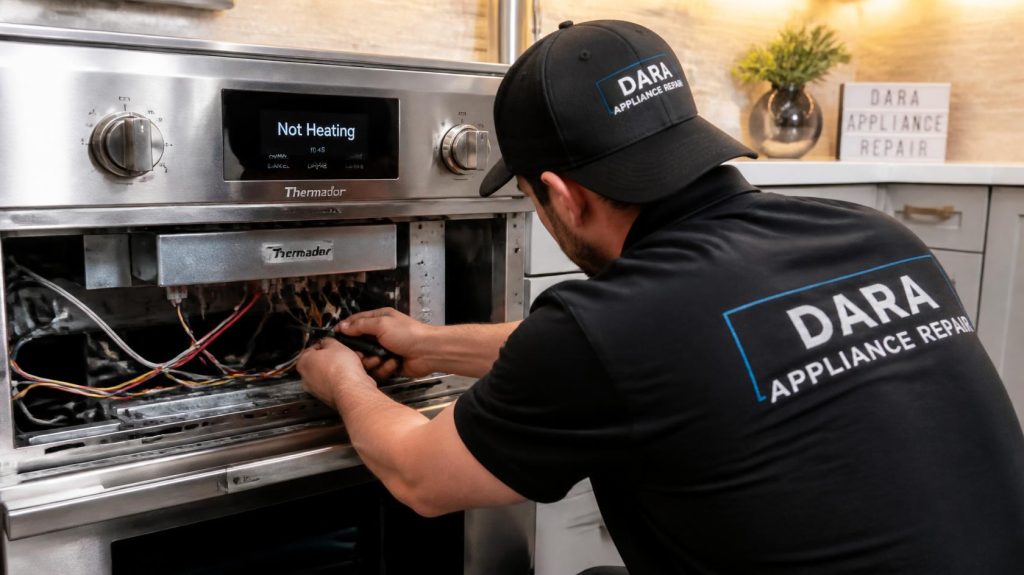
You set the oven, wait for the preheat tone, and open the door to find it barely warm. Or the display goes dark mid-dinner, or a code starts beeping that the manual doesn’t seem to explain. So, why my thermador oven not heating?
A Thermador is a serious investment, so a heating problem feels bigger than it would on a basic range. The good news is that some fixes take five minutes and a trip to the breaker panel.
If you’re facing a Thermador oven not heating, or one that’s acting strangely in other ways, this guide is a symptom-by-symptom reference. It covers what Thermador’s own support pages recommend, what each problem usually points to, and when it’s time for a technician.
Why Is My Thermador Oven Not Heating?
Start with power. A tripped breaker or blown fuse can stop the oven entirely, and Thermador recommends a breaker reset for many control and door issues. If power is fine, the cause may be a heating part, a temperature sensor, the control board, or, on double ovens, the electrical supply.
Thermador’s oven troubleshooting page walks through these first checks, and the steps below follow its guidance wherever it covers a symptom.
Do This First: The Breaker Reset
Many Thermador problems start with power, so this is the right first step for most symptoms, from a Thermador oven not heating at all to a door that won’t unlock.
- Find the oven’s breaker in your electrical panel.
- Turn it off.
- Wait five minutes.
- Turn it back on and try the oven again.
Thermador also suggests checking whether a fuse has blown or a breaker has tripped if the oven won’t run at all. If there’s no power at the outlet or circuit, it says to consult an electrician.
Thermador Oven Symptoms and What They Mean
Use this table to match what you’re seeing with the likely cause and the right next step.
| What you see | What it can mean | What to do |
|---|---|---|
| Oven won’t run at all | Tripped breaker or blown fuse | Reset the breaker or replace the fuse; call an electrician if there’s still no power |
| Parts of the display or some keys don’t respond | Control glitch | Breaker off for five minutes, then on; schedule service if it continues |
| Display is dead but oven lights work | Control or display fault | Schedule service, per Thermador |
| Oven heats, but slowly | High preheat temperature, extra racks, or a weak heating part | Remove unneeded racks and keep the door closed; if it’s much slower than before, have it checked |
| Food runs consistently hot or cold | Temperature needs adjusting, or a sensor is off | Use the temperature offset setting; if results stay far off, have the sensor tested |
| Second oven of a double oven won’t go above 175°F | Circuit amperage doesn’t match the oven’s needs, or a blocked vent | Check the data plate against the home circuit and check the vent |
| Broiler shuts off early and stays off | Likely a part failure | Schedule service, per Thermador |
| “E” code with beeping | Fault or error code | Press any key, reset the oven, and call if the code returns |
| Door stays locked after cooling or self-clean | Latch didn’t release | Breaker off and on; see the latch steps below |
The sections below explain the trickier rows in more detail.
When the Oven Heats Slowly or Not Enough
Thermador notes that higher temperatures take longer to preheat. It suggests keeping the oven clean, taking out pans and racks you don’t need, and keeping the door closed until preheating is done.
That’s normal behavior. What’s not normal is a preheat that suddenly takes much longer than it used to, or an oven that never reaches the set temperature.
When we see a Thermador oven not heating fully, these are the parts our technicians test:
- Bake and broil elements (electric ovens). A failing element may glow unevenly or not at all.
- Convection element and fan. On convection modes, the rear element and fan do much of the work.
- Temperature sensor. If the sensor misreads, the control may stop heating too early.
- Relays and the control board. The board tells each heating part when to turn on. A failed relay can leave one element dead while the rest of the oven works.
- Igniter and gas valve (gas ovens). On an all-gas range, a weak igniter may glow without opening the gas valve.
Whether your oven heats with electricity or gas changes which parts can fail, so have your model number handy when you call.
When Temperatures Run Hot or Cold
If your baking is consistently too dark or too light, Thermador says the thermostat may need adjusting. Many models let you do this yourself.
Thermador’s steps for the temperature offset are:
- Open the settings menu on the display.
- Select TEMPERATURE OFFSET.
- Adjust up or down, up to 35°F in 5°F steps.
- Save the setting.
Thermador notes that the offset applies only to select cooking modes, so check your owner’s manual. If you’ve maxed out the offset and the oven is still off, the temperature sensor or control may need testing.
Double Oven: Second Oven Won’t Heat Past 175°F
This one is specific and worth knowing. Thermador says that if the second oven won’t heat above 175°F, the amperage of the oven’s circuit may not be correct.
The fix starts with the data plate on the oven, which lists its electrical needs. Compare that with your home’s circuit. Thermador also suggests checking that the vent opening isn’t blocked.
This can come up after a kitchen remodel or a new install, when the oven may be on a different circuit than the one it was designed for. An electrician handles the circuit side, and a technician can confirm whether the oven itself is working.
Error Codes, Beeping, and Control Problems
Thermador’s oven error code guide says that an “E” followed by a number, with the control beeping, is a fault or error code. Its steps are simple:
- Press the TIMERS key or any other key to stop the beeping.
- Reset the oven if needed.
- If the code comes back, turn the oven off and call Thermador Customer Support at 1-800-735-4328.
Thermador notes that codes it doesn’t list may require technician assistance, and a code that keeps coming back is a good reason to have the oven tested.
For controls that respond poorly, Thermador suggests keeping the control surface clean and dry and touching keys with the flat of your finger before trying the breaker reset.
Door Locked After Self-Clean
If the door stays locked after the oven has cooled, Thermador says to turn the oven off at the breaker for five minutes, then back on.
If the latch still won’t release on a self-cleaning oven, its next step is to turn the power off at the breaker for one minute, then back on. If that doesn’t work, start a self-clean cycle for two minutes and then cancel it, with all racks and accessories removed first. If the latch still won’t retract, call for help.
What’s Normal (No Repair Needed)
A few things look like problems but aren’t, according to Thermador:
- The fan keeps running after the oven is off. It shuts off by itself once the oven cools.
- The door closes a little faster or slower than usual. The hinges’ damping fluid responds to temperature.
- The oven shut itself off during a long cook. The auto shut-off kicks in after very long use. Press STOP and restart.
- The broiler cycles on and off. It does this to hold the set temperature. Only an early shut-off that stays off needs service.
Safety First
Never ignore these signs:
- A gas smell. Don’t use any switches or flames. Leave the house and call your gas utility from outside.
- Burning or electrical smells, sparks, or scorched wiring. Turn the oven off at the breaker and leave it off until it’s checked.
Don’t open panels or test live electrical parts yourself. Thermador ovens run on high-voltage circuits, and many repairs involve live testing.
Getting Your Thermador Repaired
If your oven is still under the manufacturer’s warranty, start with Thermador Customer Support at 1-800-735-4328.
Out of warranty, our certified appliance technicians have experience across Thermador wall ovens, ranges, and other luxury brands. We test the heating parts, sensor, and controls before recommending anything, so you know exactly what failed. Learn more on our Thermador appliance repair page.
The diagnostic fee is $89, waived when you go ahead with the repair. Typical repairs fall between $129 and $400, and your exact price depends on the issue and parts. We quote it before any work starts. Every repair comes with a warranty, and coverage depends on your appliance brand.
If you’re not sure your problem is brand-specific, our guide to the common causes of an oven not heating covers the basics for every brand. You can also see our full oven appliance repair service in Chicago.
Frequently Asked Questions
How do I reset my Thermador oven? Turn the oven off at the circuit breaker, wait five minutes, and turn it back on. Thermador recommends this for control problems and for a door that stays locked after cooling.
Why does my Thermador oven take so long to preheat? Higher temperatures take longer, and extra racks and pans slow things down. Thermador suggests removing what you don’t need and keeping the door closed. If preheating is much slower than it used to be, a heating part may be failing.
What does an E code on my Thermador oven mean? Thermador calls an “E” plus a number a fault or error code. Press any key to stop the beeping and reset the oven. If the code returns, call Thermador or a technician, since it may need testing.
Why won’t the second oven in my Thermador double oven get hot? If it won’t heat above 175°F, Thermador says the circuit amperage may not match the oven’s needs. Check the data plate against your home’s circuit, and check the vent for blockages.
Can I calibrate my Thermador oven temperature? Yes, on many models. Use the TEMPERATURE OFFSET setting to adjust up to 35°F in 5°F steps. Check your manual for which cooking modes it applies to.
Is it worth repairing a Thermador oven not heating properly? Built-in luxury ovens are often worth a diagnosis before replacing, since replacement can mean cabinet work as well as the new oven. A diagnosis tells you what failed and what it will cost before you decide.
The Bottom Line
If you’re dealing with a Thermador oven not heating, start with the breaker reset and the checks Thermador recommends. Many control and door problems clear up right there.
If the oven still won’t heat, runs far off temperature, or keeps throwing the same code, it’s time for a technician. Book online, contact our team, or call (773) 377-4212. We provide appliance repair across Chicago and the surrounding suburbs, seven days a week from 8 AM to 8 PM.