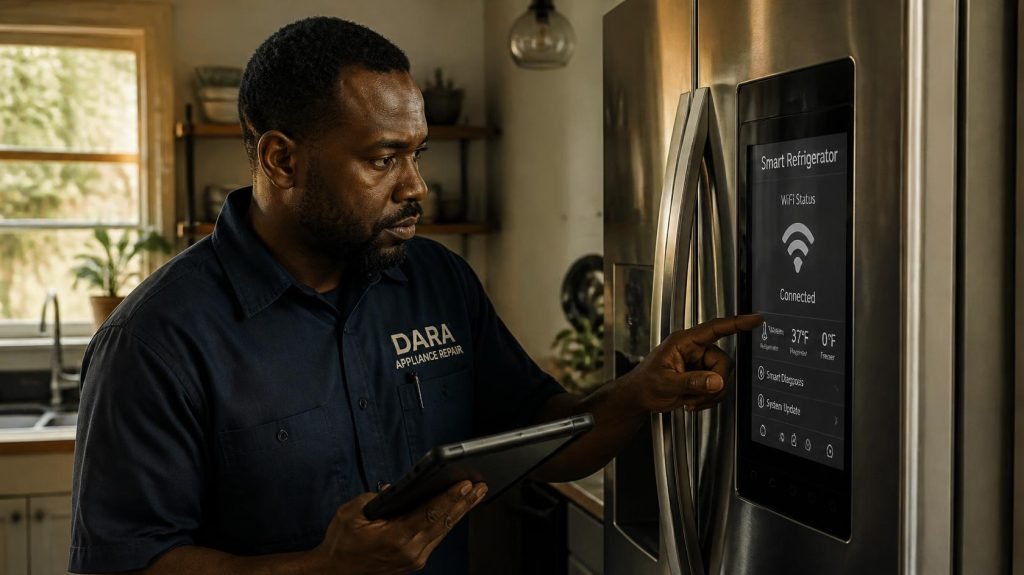
Your refrigerator is cold, the ice maker works, and the food is fine. But the app says “offline,” the screen can’t find your network, so why my smart refrigerator not connecting to wifi? was my setup fails at the same step every time.
That’s a frustrating spot to be in, because nothing is technically broken in the way you’d expect. In many cases, the problem is in your router, your phone, or the app, and you can fix it yourself.
If you’re dealing with a smart refrigerator not connecting to Wi-Fi, this guide walks through the fixes for Samsung Family Hub and LG ThinQ models, starting with the simplest checks. It also explains the few signs that mean the issue is inside the fridge and needs a technician.
Why My Smart Refrigerator Not Connecting to Wi-Fi?
Smart refrigerator Wi-Fi failures usually start with the network, not the fridge. The usual causes are a 5 GHz network the fridge can’t use, a mistyped password, a weak signal at the kitchen, or a phone that switches to mobile data during setup. If the fridge can’t see any network at all, the Wi-Fi hardware may be at fault.
Those causes come straight from the manufacturers’ own help pages. LG says its ThinQ app supports 2.4 GHz Wi-Fi only, and Samsung’s SmartThings connection guide lists signal strength, passwords, and app permissions as the first things to check.
Software Problem or Hardware Problem? A Quick Check
Before you start resetting things, it helps to know which kind of problem you’re facing. This table sorts the most common symptoms.
| What you see | Most likely cause | What to do first |
|---|---|---|
| Fridge screen lists networks, but won’t join yours | Password, band, or router setting | Check the password and 2.4 GHz setup |
| Connects, then drops offline every few days | Weak signal or router issue | Check signal at the fridge; update router firmware |
| App can’t find the fridge during setup | Phone settings or app permissions | Turn off mobile data; allow app permissions |
| Worked fine until a software update | Network settings on the fridge | Reset the fridge’s network settings |
| Fridge screen shows no networks at all, even a phone hotspot | Possible Wi-Fi module or control board fault | Request service |
| Screen frozen, rebooting, or blank, plus cooling problems | Possible control board fault | Request service |
If you’re in the top four rows, keep reading. The steps below can fix many cases of a smart refrigerator not connecting to Wi-Fi without anyone opening the fridge.
Step 1: Power Cycle Everything in the Right Order
A clean restart clears a lot of stuck connections, but the order matters.
Samsung’s guide says to unplug every network device, including the appliance. For Family Hub refrigerators, it says to use the power switch on the control panel instead of unplugging the whole fridge.
Then bring things back one at a time:
- Start with the modem, where the internet comes into your home.
- Wait for it to fully boot, then turn on the router.
- Turn on any extenders or mesh points next.
- Turn the fridge’s smart features on last.
Once everything is back up, try connecting again. On an LG model, check your owner’s manual for how to put the fridge into Wi-Fi pairing mode, since the button and steps vary by model.
Step 2: Make Sure the Refrigerator Can Use Your Network
This is where most connection problems hide.
Use a 2.4 GHz network. LG says ThinQ appliances need 2.4 GHz, and that you should pick the network name that doesn’t include “5G” or “5GHz.” Samsung says band requirements vary by appliance, so check your fridge’s manual.
Watch for combined network names. Many newer routers broadcast both bands under one name. If your fridge keeps failing, look in your router’s app or settings for a way to set up a separate 2.4 GHz network, or ask your internet provider how to do it.
Double-check the password. Samsung suggests turning on the “show password” option while you type and testing the same password on another device. If your phone or laptop connects with it, the password is right.
Make sure the network isn’t hidden. If your phone can’t see your network in its Wi-Fi list, Samsung notes it may be hidden. Your router provider can make it visible during setup.
Update the router. Samsung’s Family Hub Wi-Fi guide lists router firmware updates as the first fix when a Family Hub stops connecting after a software update. Your router’s app or manual will show how.
Step 3: Check the Signal at the Fridge
Kitchens are tough on Wi-Fi. A fridge is a big metal box, and it’s often at the far end of the house from the router.
Stand next to the fridge with your phone and look at the Wi-Fi bars. Samsung says one or two bars may be too weak, and suggests moving the router closer or adding a repeater.
LG recommends keeping the router and appliance within 10 meters (about 33 feet). If walls are in the way, it suggests adding another router or access point between them.
Step 4: Fix the Phone and App Side
Sometimes the fridge is fine and your phone is the real reason you have a smart refrigerator not connecting to Wi-Fi. Setup needs the phone and fridge talking over the same home network the whole time.
- Turn off mobile data during setup. LG lists this as a key step, because phones can switch to cellular when Wi-Fi gets slow.
- Join the same network. Connect your phone to the 2.4 GHz network you want the fridge on.
- Update the app. Samsung says to update SmartThings before setup. Do the same for LG ThinQ.
- Allow every permission. Samsung says to allow all permissions “all the time” so the app can scan for the appliance.
- Check who registered it. If a previous owner or another family member added the fridge, Samsung says you can take control or ask that person for an invite.
- Try a different phone. If setup fails at the same step every time, Samsung suggests trying another phone or account to rule out the device.
Step 5: Reset the Fridge’s Network Settings
If the fridge worked until a recent update, its saved network settings may be the issue.
On a Family Hub, Samsung’s path is Settings, then About Family Hub, then Reset network settings. This only resets the screen’s network setup, not your food settings or the cooling system. Once it’s done, set up Wi-Fi again from the start.
On LG models, removing the fridge from the ThinQ app and adding it again is the closest equivalent. Your manual will show how to restart pairing for your model.
When Wi-Fi Trouble Means a Control Board Problem
Here’s the part most troubleshooting guides skip. Sometimes the cause behind a smart refrigerator not connecting to Wi-Fi has nothing to do with your network.
Samsung’s own guide gives a simple test. If the fridge’s screen can see networks, service usually isn’t needed, and the problem sits with your router or provider. But if the fridge detects no networks while your phone shows 3 or more bars next to it, Samsung says to request service. The same goes if the fridge can’t detect a phone hotspot or any other network.
That pattern points to hardware. The Wi-Fi module, the control board it connects to, or the wiring between them may have failed.
A few other signs suggest a control board problem rather than a network one:
- The screen freezes, reboots on its own, or stays blank
- Wi-Fi problems show up at the same time as temperature swings or cooling trouble
- Buttons or settings stop responding on the panel
- Error codes appear on the display along with the connection loss
A board problem can affect more than the app. If your fridge is also running warm or cold, our guide to refrigerator temperature fluctuating explains what else to look for. You can also read the warning signs your fridge is failing.
Does a Smart Fridge Need Wi-Fi to Keep Food Cold?
In most cases, no. The cooling system runs on its own controls, so a lost Wi-Fi connection usually just means you lose the app features, like remote alerts, temperature changes from your phone, and the screen’s online apps.
That’s why it’s worth paying attention when Wi-Fi trouble and cooling trouble show up together. Two problems at once often share one cause, and a control board is a common link.
What to Do If Nothing Works
If you’ve worked through every step and the fridge still won’t connect, there are two good next calls.
If the fridge is still under the manufacturer’s warranty, contact Samsung or LG support first. Samsung’s app lets you report a problem under Menu, then Contact us. Note your phone model, the app version, and the exact step where setup fails.
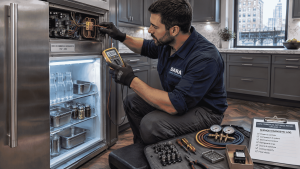
If it’s out of warranty, or the fridge also has cooling or display problems, an appliance repair technician can test the Wi-Fi module and control board directly. Our team handles appliance repair for Samsung, LG, and every other brand, so one visit covers both the smart features and the cooling system.
The diagnostic fee is $89, waived when you go ahead with the repair. Most repairs fall between $129 and $400, and we quote the exact price before any work starts. Every repair comes with a warranty, and coverage depends on your appliance brand.
You can learn more on our Samsung appliance repair and LG appliance repair pages, or see our full refrigerator appliance repair service in Chicago.
Frequently Asked Questions
Why does my smart fridge keep disconnecting from Wi-Fi? Frequent drops usually point to a weak signal at the kitchen or a router that needs a firmware update. Check the bars on your phone while standing next to the fridge. If the signal is weak, move the router closer or add a repeater.
Can a smart fridge connect to 5 GHz Wi-Fi? LG says its ThinQ appliances support 2.4 GHz only. Samsung says band support varies by appliance, so check your manual. When in doubt, use a 2.4 GHz network.
Will resetting my Family Hub delete my settings? Samsung’s Reset network settings option only clears the screen’s network setup. It doesn’t change your temperature settings. A full factory reset is a different step, so check your manual before using one.
How do I know if my fridge’s Wi-Fi module is bad? If the fridge screen can’t see any network, even a phone hotspot, while your phone shows a strong signal next to it, that points to hardware. Samsung recommends requesting service in that situation.
Is it worth repairing the Wi-Fi on a smart fridge? It depends on what failed and how much you use the smart features. If cooling also has problems, a control board diagnosis covers both. If only the app is offline and the fridge is out of warranty, some owners simply use the fridge without Wi-Fi.
Can a power outage leave my fridge offline? Yes, an outage can trigger a smart refrigerator not connecting to Wi-Fi, because the fridge or router can come back up stuck. Power cycle everything in order, starting with the modem. If the screen still detects no networks afterward, have the fridge checked.
The Bottom Line
When you’re stuck with a smart refrigerator not connecting to Wi-Fi, start with the network: 2.4 GHz, the right password, a strong signal, and a phone that stays on Wi-Fi during setup. Those fixes solve many connection problems.
If the fridge can’t see any network at all, or Wi-Fi problems come with cooling or display trouble, it’s time for a technician. Book online, contact our team, or call (773) 377-4212. We provide appliance repair across Chicago and the surrounding suburbs, seven days a week from 8 AM to 8 PM.